Step-by-step guides to help you get the most out of ONE PMIS
The dashboard is the main landing page showing a complete project overview including key KPIs, document status, work progress, and safety metrics all in one place.
Select a project from the sidebar to load its dashboard
View the Project Information tab for map, weather, emergency contacts, and org chart
Switch to the Timeline tab to see programme progress, Gantt chart, and AI schedule analysis
Use the Payment tab to check contract value, paid amount, and upcoming payment terms
Explore the Document and QHSE tabs for document statistics and safety metrics
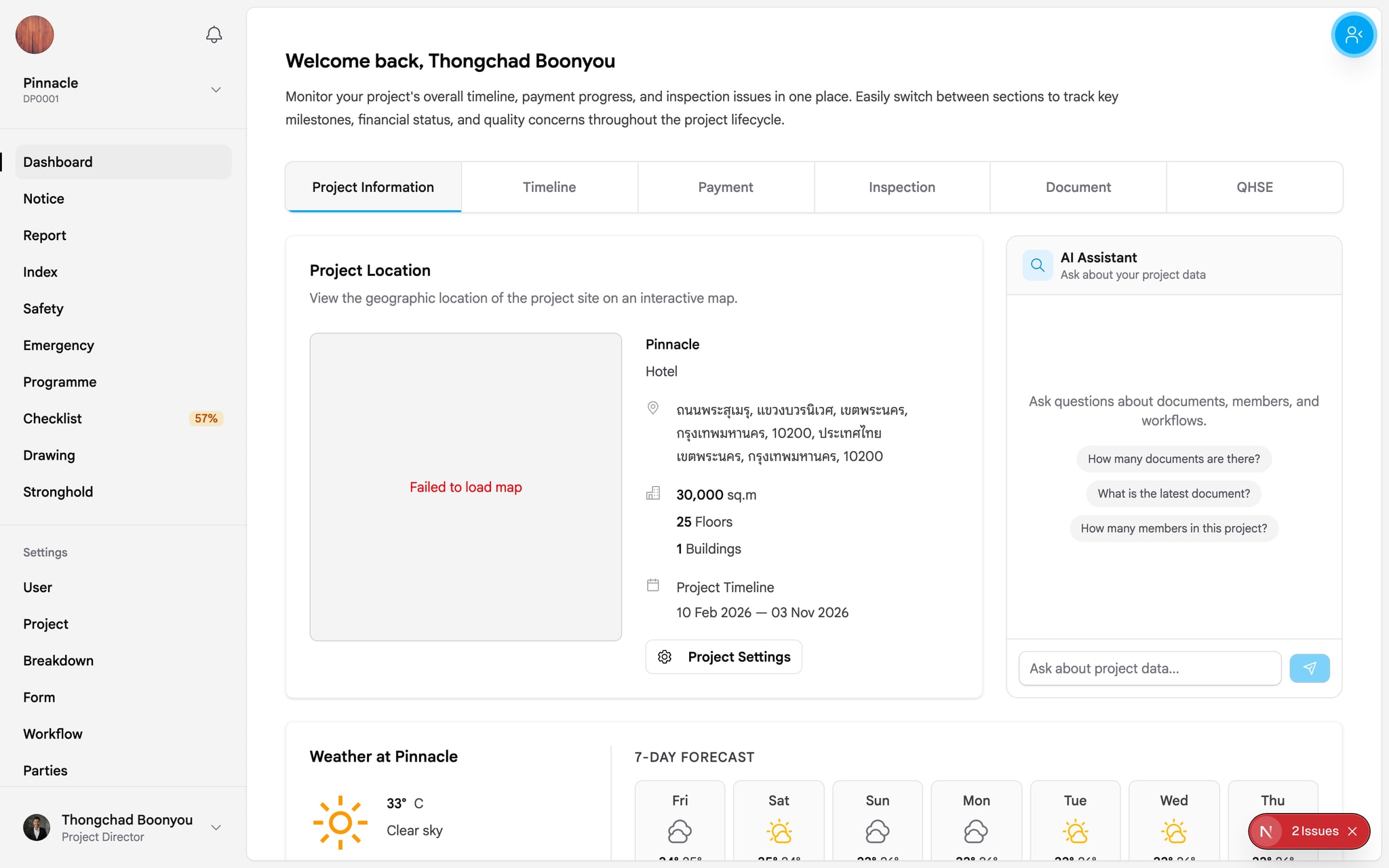
Main dashboard with project KPI overview cards

Timeline tab showing key project milestones

Payment tab showing progress payment status

Inspection tab displaying quality check records
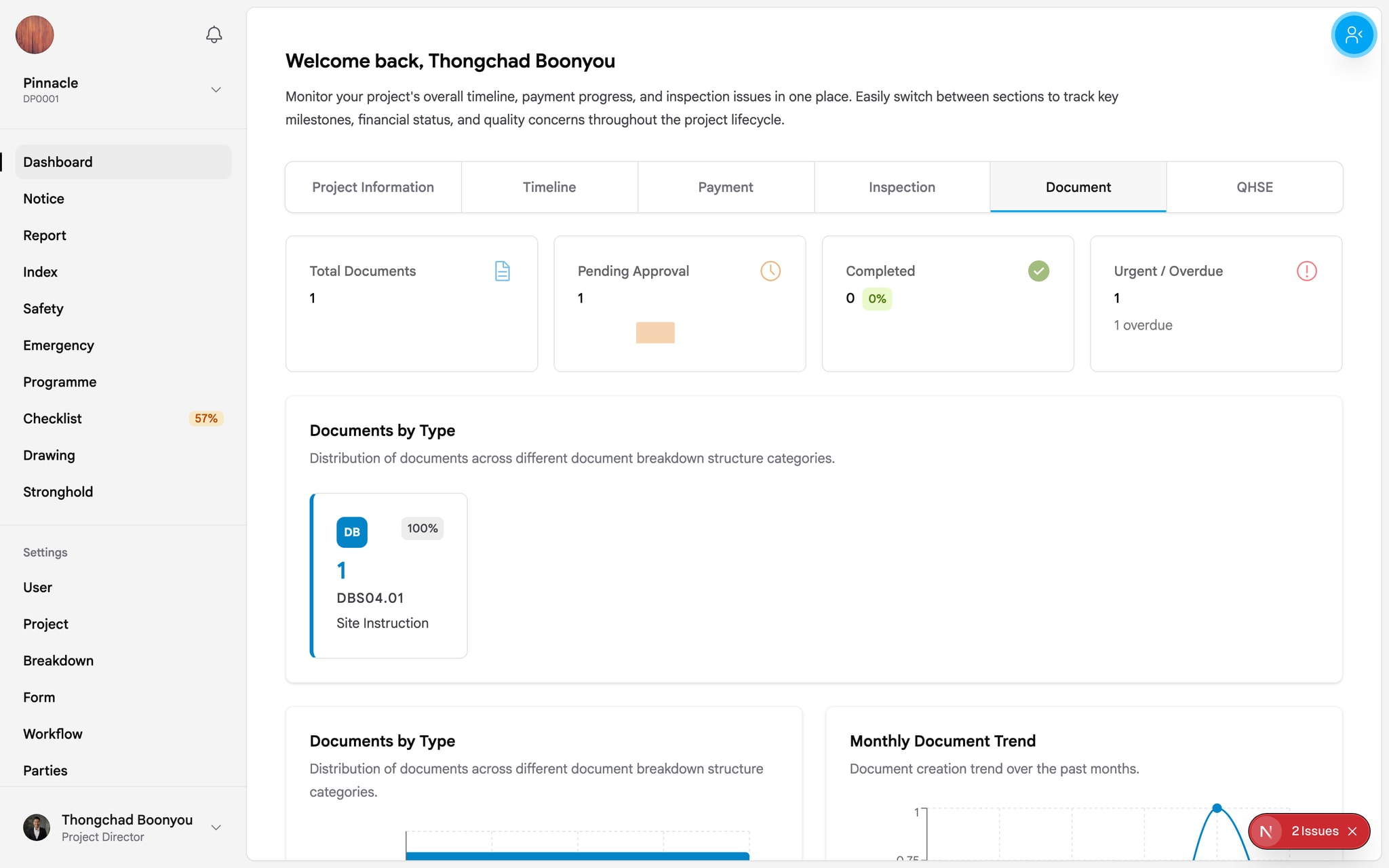
Documents tab with overall document statistics

QHSE tab with safety and environment metrics
Click on any KPI card to navigate directly to the detailed page for that category.
